Solve Docker for Windows error: A firewall is blocking file Sharing between Windows and the containers
For the quick answer jump to the conclusion.
Yesterday I was trying to mount a data volume in a Docker container and using Docker Community Edition for Windows (aka Docker CE for Windows) you first need to share your drives in the Docker settings:
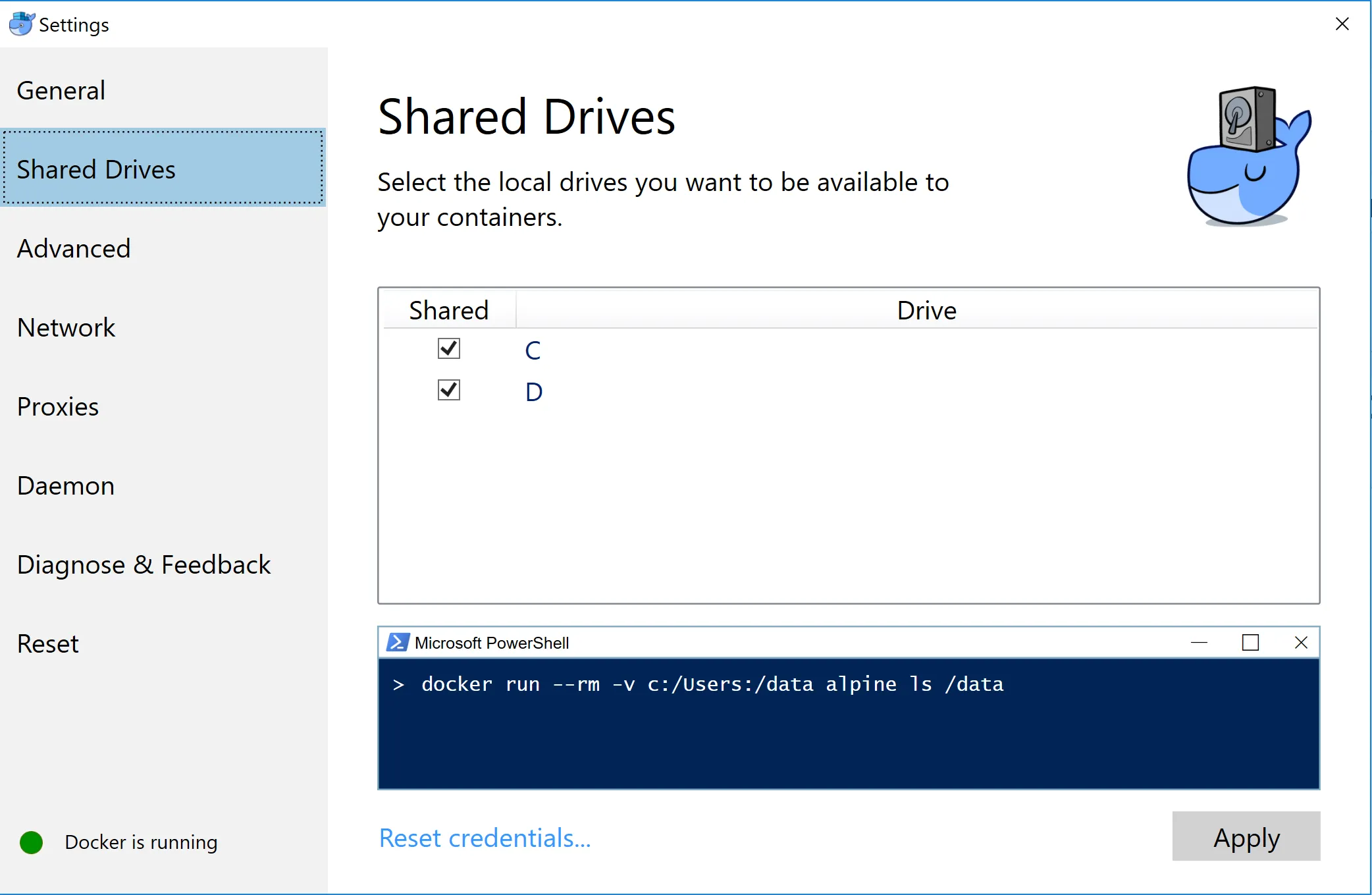
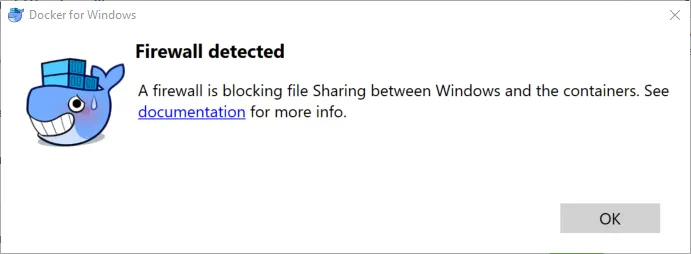
Unfortunately after clicking on “Apply” I got the following error:
A firewall is blocking file Sharing between Windows and the containers.
In the documentation link the explanation was quite clear, I needed to allow connections to 10.0.75.1 port 445 (the Windows host) from 10.0.75.2 (the virtual machine).
Looking in my Windows firewall rules I saw the rule was already there:
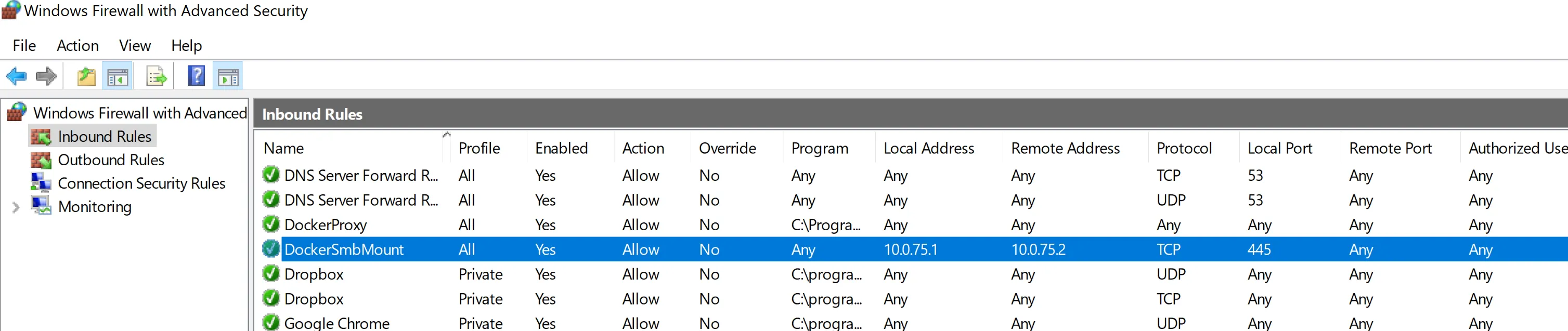
Strange!
Then I tried to completely disable the Windows Firewall, but the result was still the same error. It didn’t helped.
After some reboots, Docker resets etc… and more than one hour troubleshooting I was finally able to find this blog post which helped me to solve the issue, which I will describe here:
-
Go to the Network and Sharing Center:
-
Win Button + X
-
Click on “Network Connection”
-
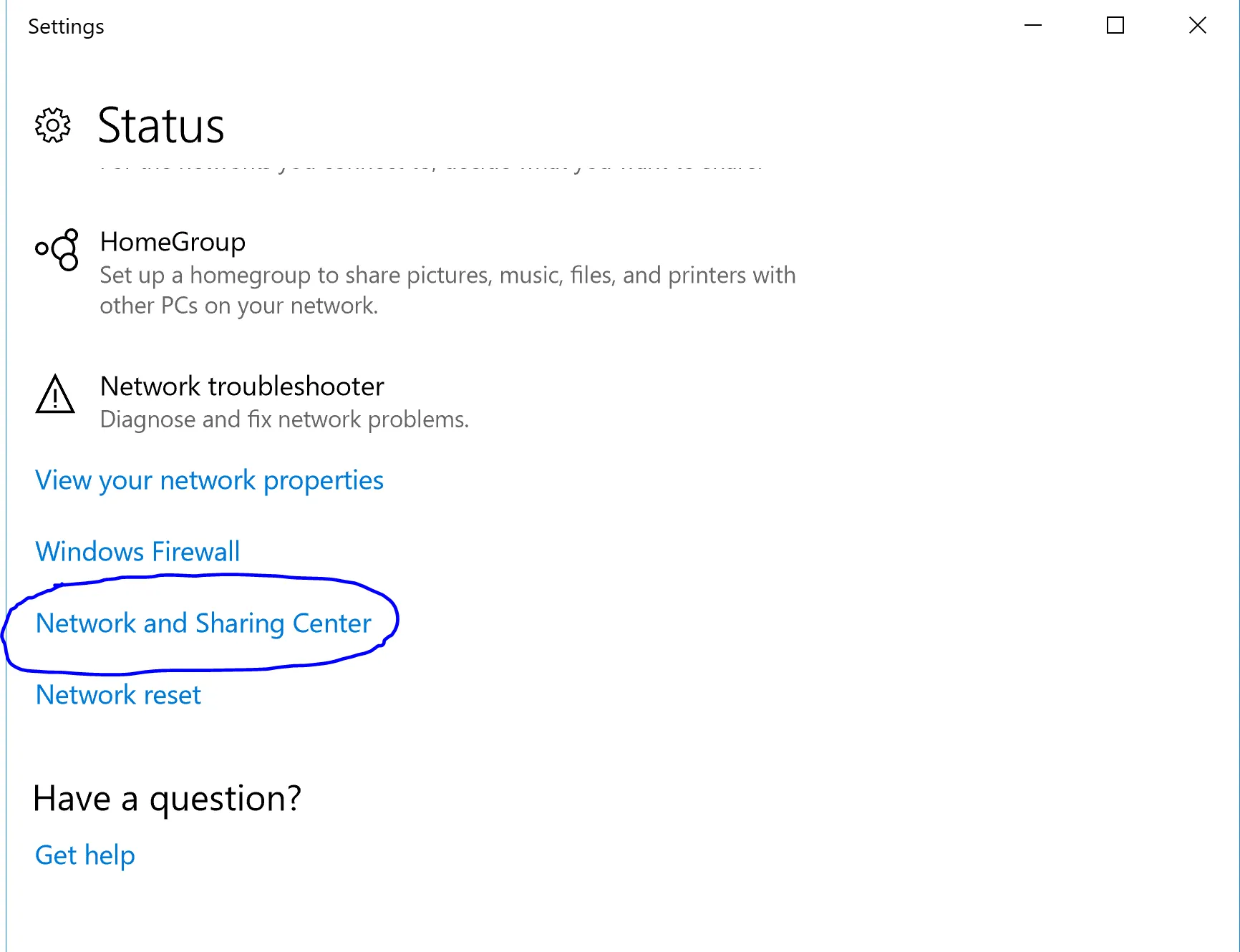
A Settings window will be opened and scroll down in the Settings window
-
Click on “Network and Sharing Center”:
-
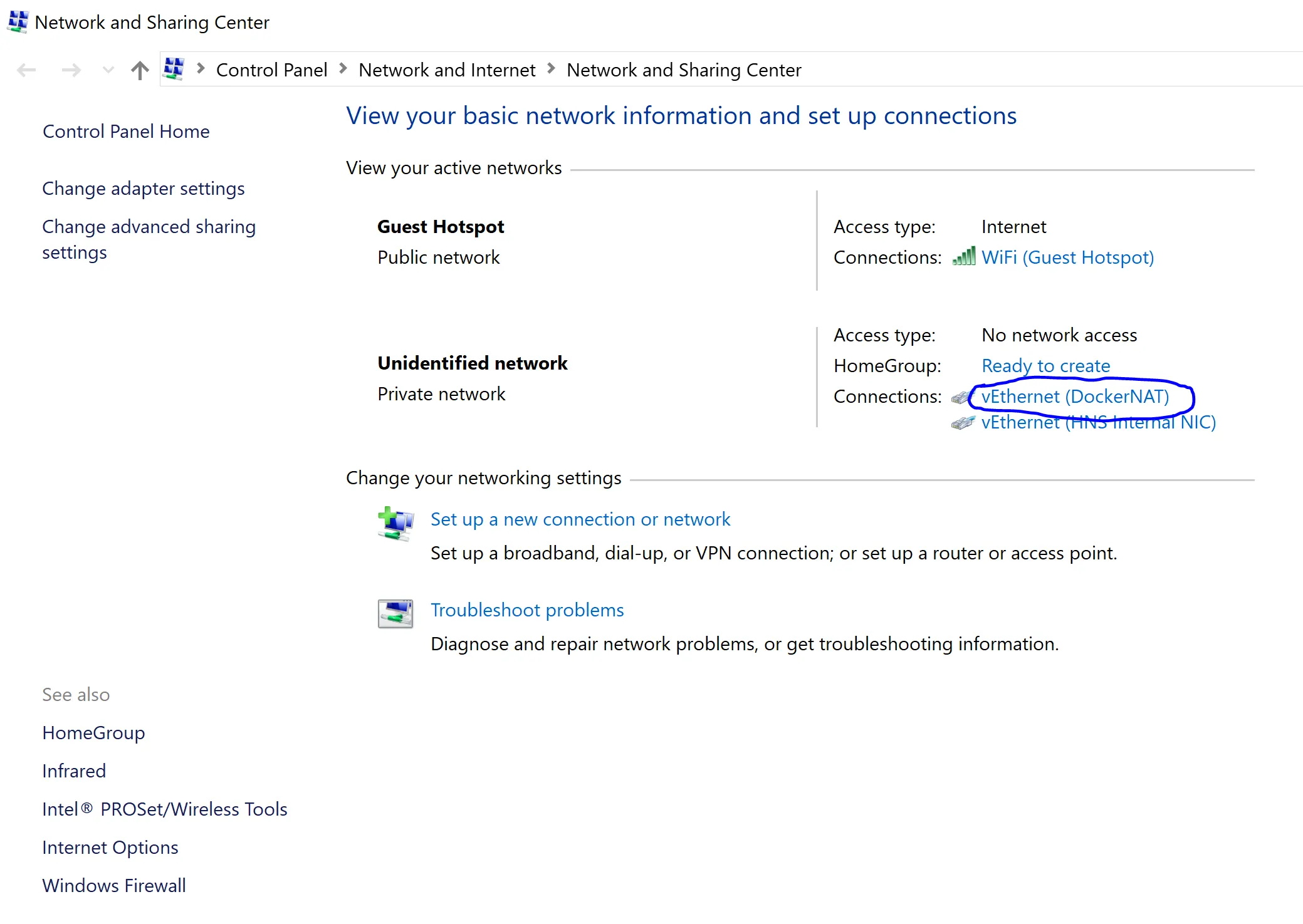
Click on the “VEthernet (DockerNAT)” adpater:
-
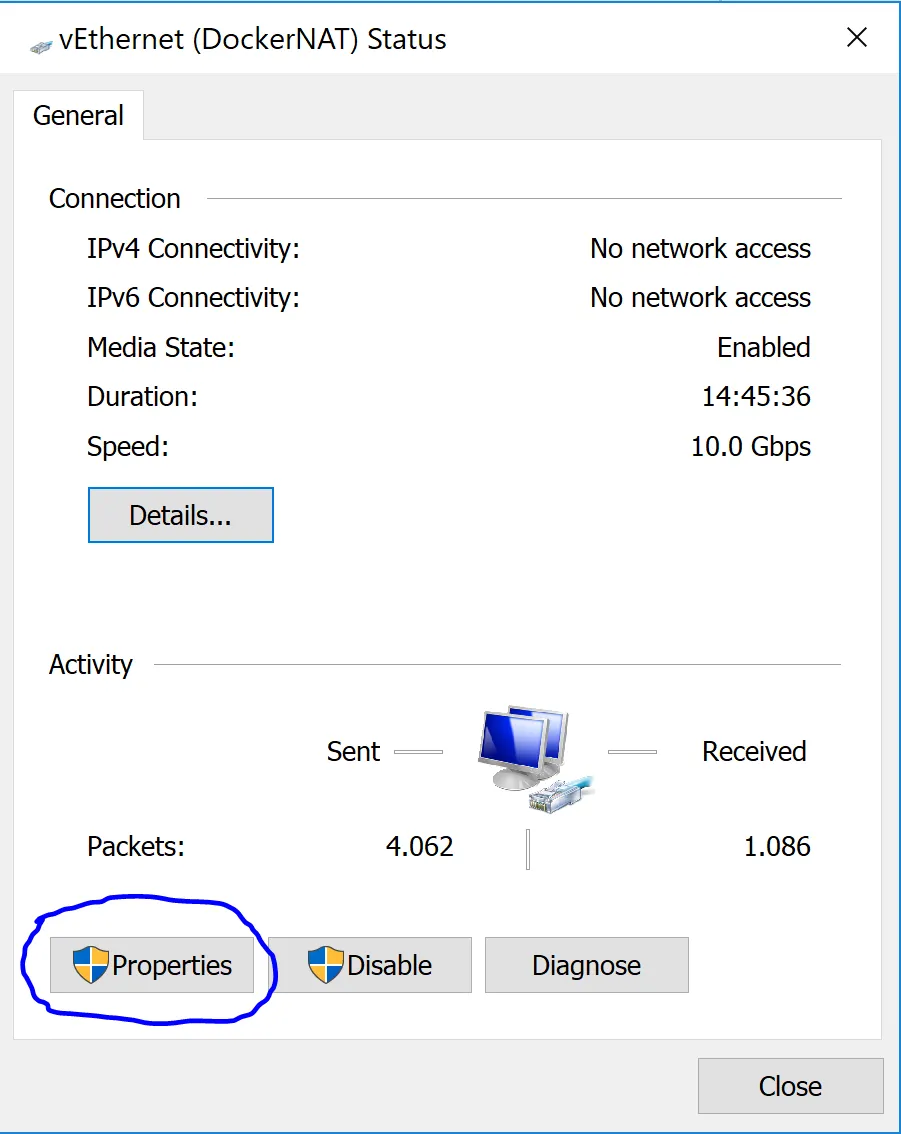
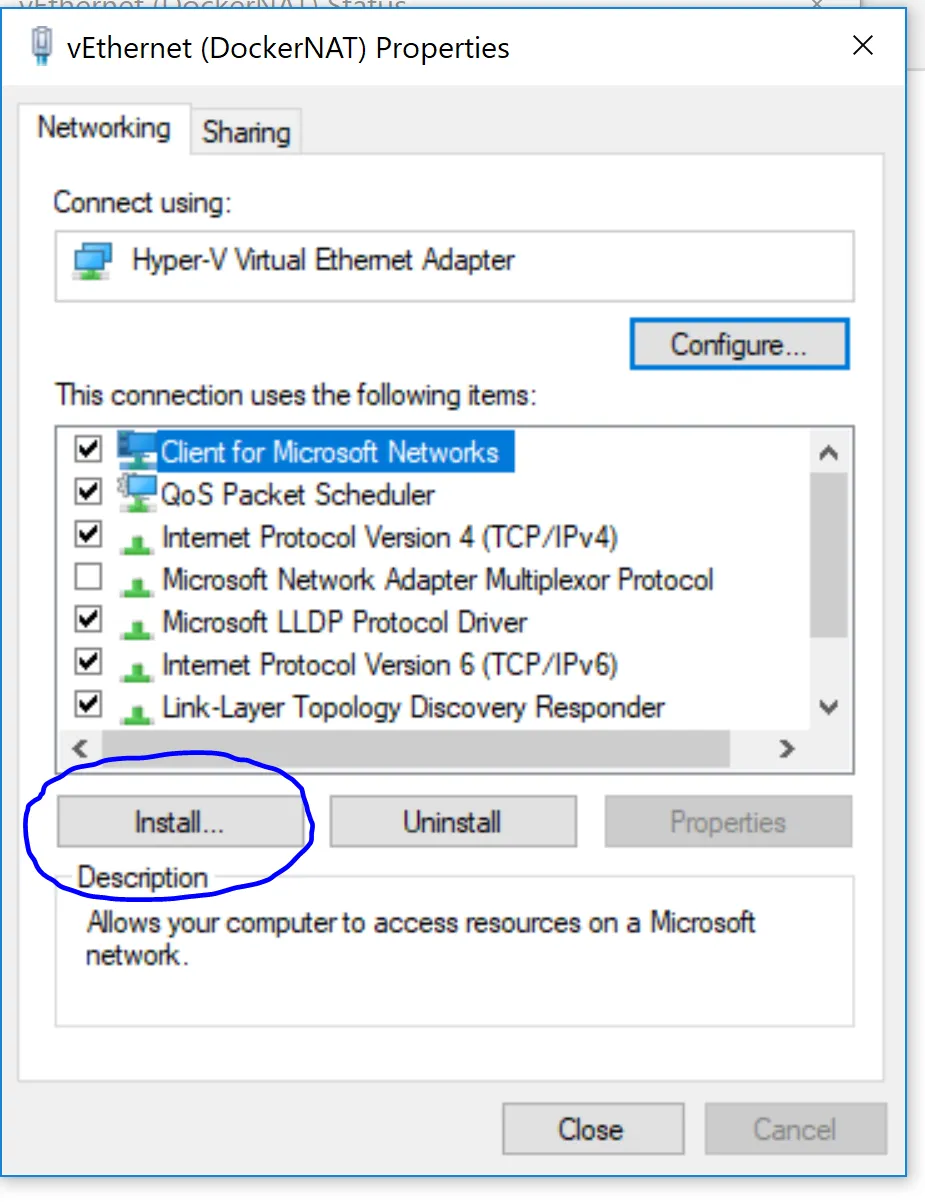
Click on “Properties”:
-
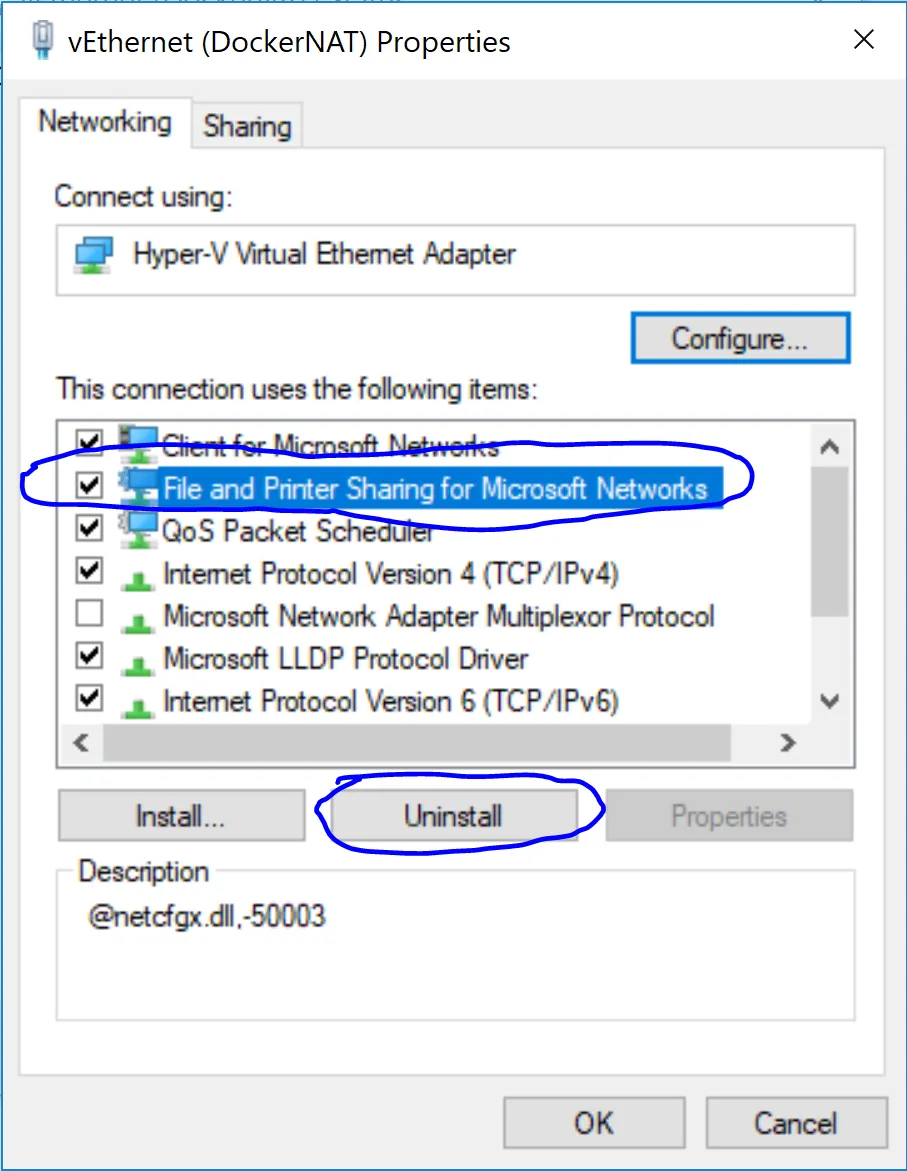
Uninstall “File and Printer Sharing for Microsoft Networks”:
-
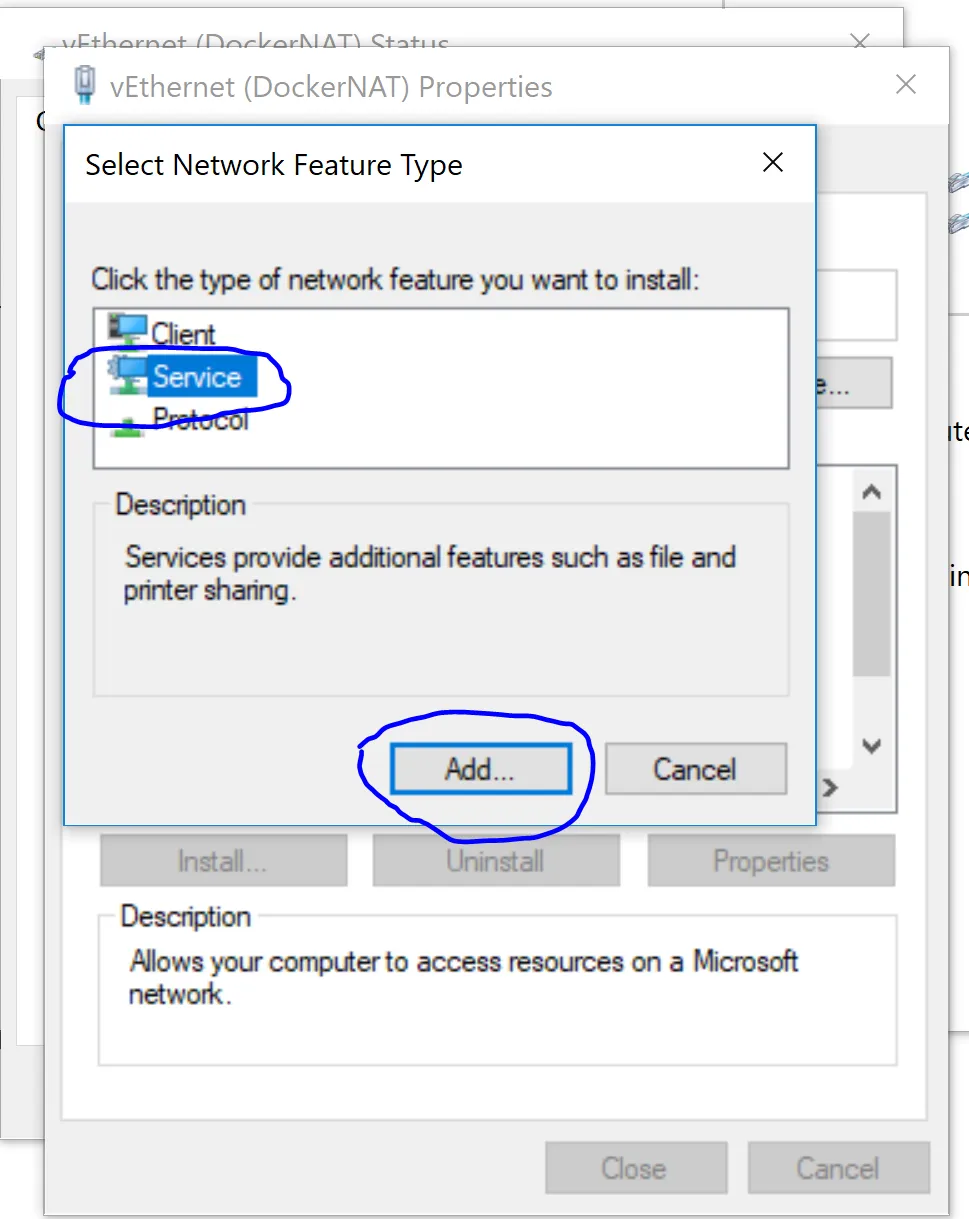
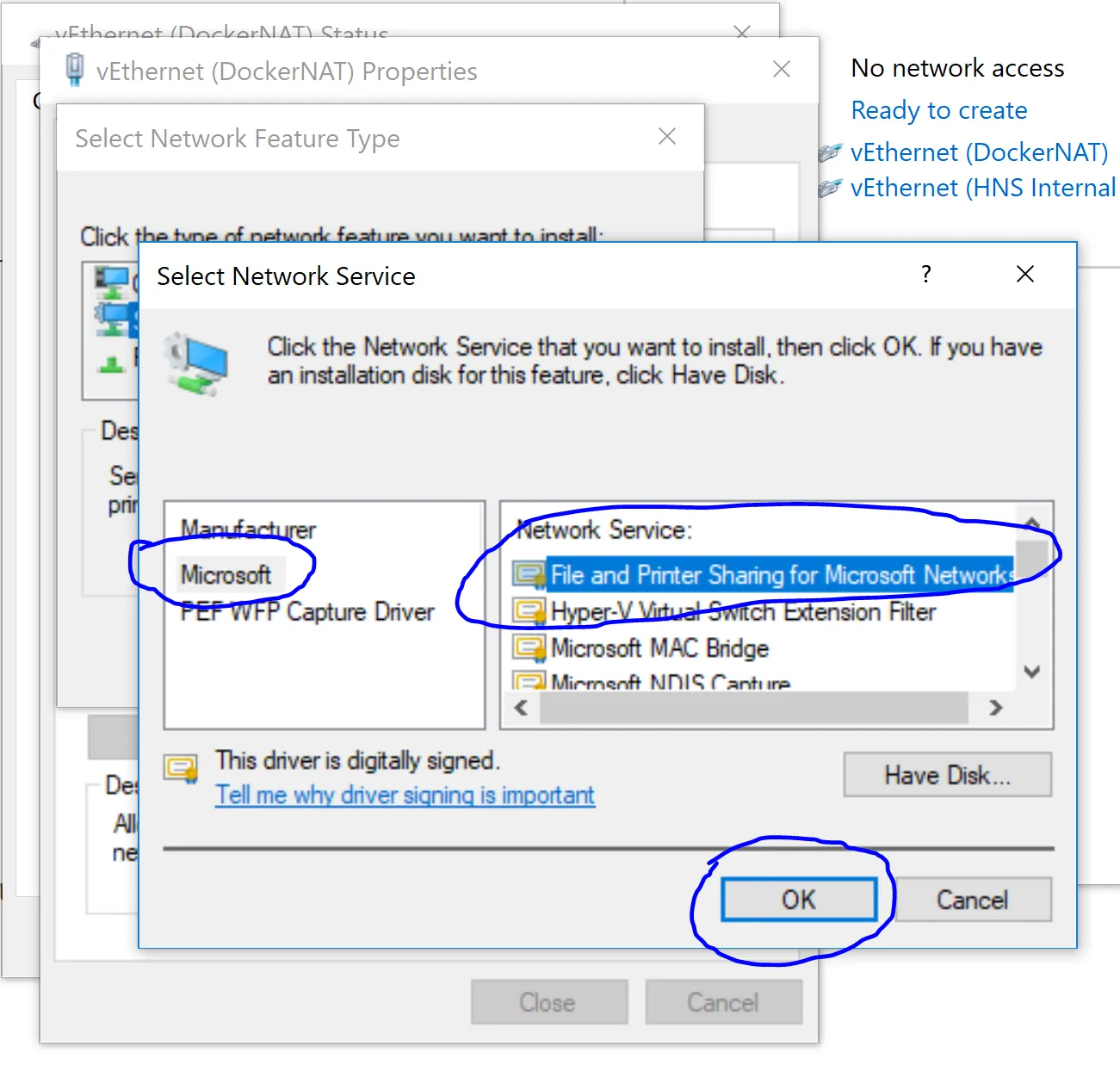
Install “File and Printer Sharing for Microsoft Networks” again:
-
Click Close, now you should be able to Share your drives in the Docker Settings and mount those drives and folders as a data volume like:
docker run -d -P --name web -v C:/temp:/webapp training/webapp python app.py
Conclusion#
If you are getting the error and your firewall rules are OK, to solve this problem just uninstall and reinstall again the “File and Printer Sharing for Microsoft Networks” on the DockerNAT network interface.